

retouching and color grading


The complete bundle of 2 video courses
START NOWReasons to start now
- 1
Quality
Retouch and color grading transform ordinary photos into high end magazine quailty content
- 2
Remote job
Retouch for others and earn from 30$/image
- 3
Clients
You start charging more for your shoots and get the premium clientelle
- 4
Creativity
When you're not happy with the way your photos look - editing can help!
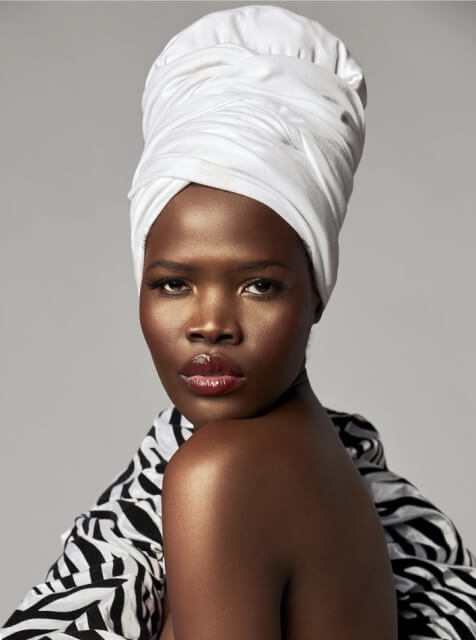
This course is for
Beauty artists
Clients choose over competitors because of your portfolio. Your works should look stunning.
Photographers
and retouchersStart creating magazine quality work of your own and improve your editing skills
Beginners
Learn new skills in the accessible way even when there is no experience yet

WILL I BE ABLE TO HANDLE IT?
-


60%
of our students were complete beginners. Ypu get the most detailed explanations
-

1500+
photographers, beauty artists and begginners got impressive results
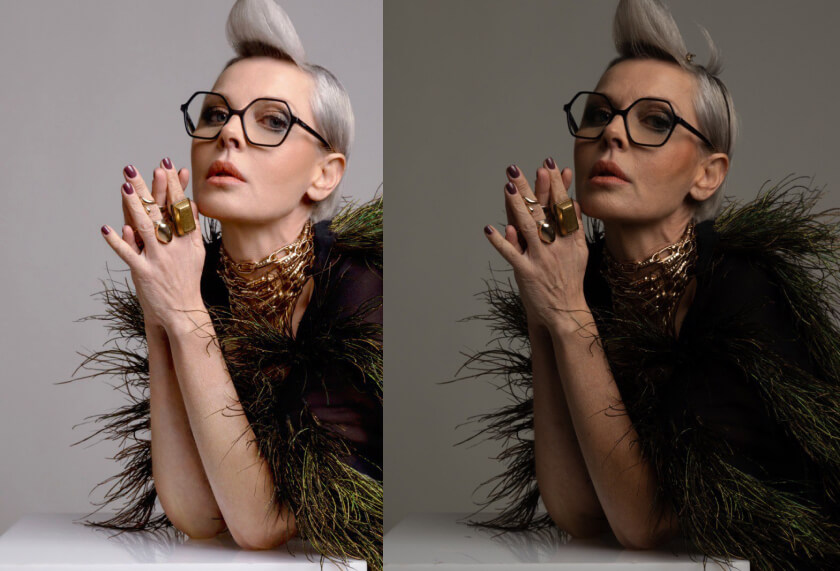
Work of the student immediately after the end of the course
Check the sample
Long courses might be boring, make sure we’re covering the essentials
ALL IN ALL
Here is what you get with the improved skills:

Natural skin texture
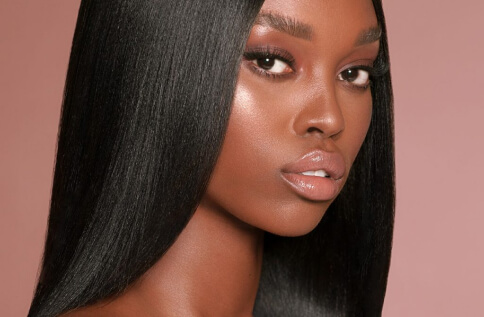
Shiny hair without flyways

Evened magazine quality skin tone

Perfect makeup

Volume and shine
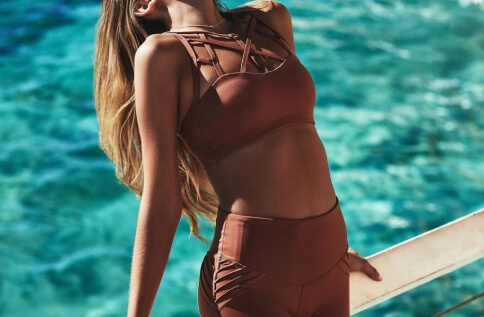
Professional color grading
COURSES
- 01
Module 1 - Analysis, retouching plan
Result – you know all stages of retouching and their instruments, you adjust Photoshop and panels, know how to “process” RAW files
- Creating the brief strategy for retouching. Steps overview, photo analysis.
Understanding what needs to be edited, which methods and techniques to use and in which order, how to choose references.
Retouching plan (37:52) - Why we need to work with RAW files.
How to make the best raw conversion and take out the most possible from raw photos for further easier retouching.
Сapture One vs Lightroom vs Aadobe Camera RAW (16:45) - Raw conversion in Adobe Camera RAW (Photoshop and Lightroom) (48:07)
- Raw conversion in Capture One (46:21)
- Creating the brief strategy for retouching. Steps overview, photo analysis.
- 02
Module 2 - High end portrait retouching
Result – Master all retouching tools, layers, masks, retouching techniques. You know how to retouch skin, makeup, lips, eyes, nails, hair, body, clothes, background.
- Cleaning as the first and must needed part of retouching, tips and tricks (48:18)
- Frequency separation as the fastest and most effective retouching technique.
How to use it wisely and make the natural “untouched” skin texture, but fix all the issues.
How to avoid a filtered “plastic doll” result. (01:00:07) - Frequency separation practice, tips and tricks (48:49)
- Dodge and Burning for perfect skin texture (basics and essentials) (24:27)
- Dodge and Burning practice for male and female portraits (52:26) BONUS
- Full high end beauty retouching process for black skin female portrait (part 1 – raw conversion) (28:19)
- Full high end beauty retouching process for black skin female portrait (part 2 – retouching and color grading) (1:42:01)
- 03
Module 3 - Attention to details
The result is that you are able to even out skin tone, remove redness, add volume, radiance, and tan.
- How to fix oily shiny skin. Creating a matte skin (14:35)
- Undereyes area – dark circles, wrinkles, tired look (12:39)
- Age and mimical wrinkles (10:56)
- Teeth (16:03)
- Getting rid of small facial hairs (09:02)
- Eyes makeup retouching, eyebrows, lashes (27:24)
- Eyes retouching (14:25)
- Fixing and adding the makeup (13:47)
- Lips retouching – making the perfect lips makeup (14:57)
- Lips retouching – natural soft lips (12:27)
- Nails retouching (8:22)
- Introduction to hair retouching (4:55)
- High end hair retouching (50:56)
- Body retouching (1:28:17)
- Clothes retouching (38:35)
- Studio background retouching (43:51)
- Even balanced skintone. Matching skintone (23:41) BONUS
- Sharpening (16:23)
- How to edit images from the one shoot and save time (15:35)
- 04
Module 4 - Color. Color correction
The result is that you understand color, know how to change it, to do color correction, to tint, to match to the references, to work with curves and other color tools.
- Color understanding (11:45)
Technical aspects of color work. (8:46) - Color harmonies (54:09)
- Color instruments and masks (49:27)
- Local color grading (26.41)
- Skin local color correction, removing redness (29:44)
- Skintone, portraits color grading (25:14)
- Outdoor fashion color grading (15:34)
- Family, preganancy, kids photography color grading (37.32)
- Studio color grading (24:42)
- Wedding color grading (29:00)
- Advanced luminosity masks for color (20:37)
- Color understanding (11:45)
CHOOSE YOUR COURSE
for retouchers
What students say
Common questions
What software you need:
— Computer or laptop (it’s not recommended to watch from phone due the amount of small details you need to mention).
— Adobe Photoshop (basically, any version you have will work, but if you can – update to Adobe Photoshop CC 2022)
— Capture One Pro (optionally, this can be used as alternative in RAW conversion, but Photoshop or Lightroom are fine as well)
If you don’t have Photoshop yet – you can buy a subscription here, I recommend Photography Plan for 9,99$/month
https://www.adobe.com/products/photoshop.html
— Mouse or graphic tablet (optionally, it’s recommended for the best professional result, thought many retouchers start with the mouse and buy a graphic tablet later in the end of their educational process)
ⓘ Recommended model – any Wacom tablet (small size fits most of retouching tasks). My model – Wacom Intuos Pro M
https://www.wacom.com/en-us/products/pen-tablets/wacom-intuos-pro
ABOUT TEACHER

ABOUT TEACHER
LESYA KOSTIV — FASHION AND BEAUTY RETOUCHER
FOUNDER OF THE RETOUCHING AGENCY
She has been working internationally with top photographers, brands and magazines since 2010. She taught retouching to more than 800 photographers, retouchers and beginners worldwide
CLIENTS


